
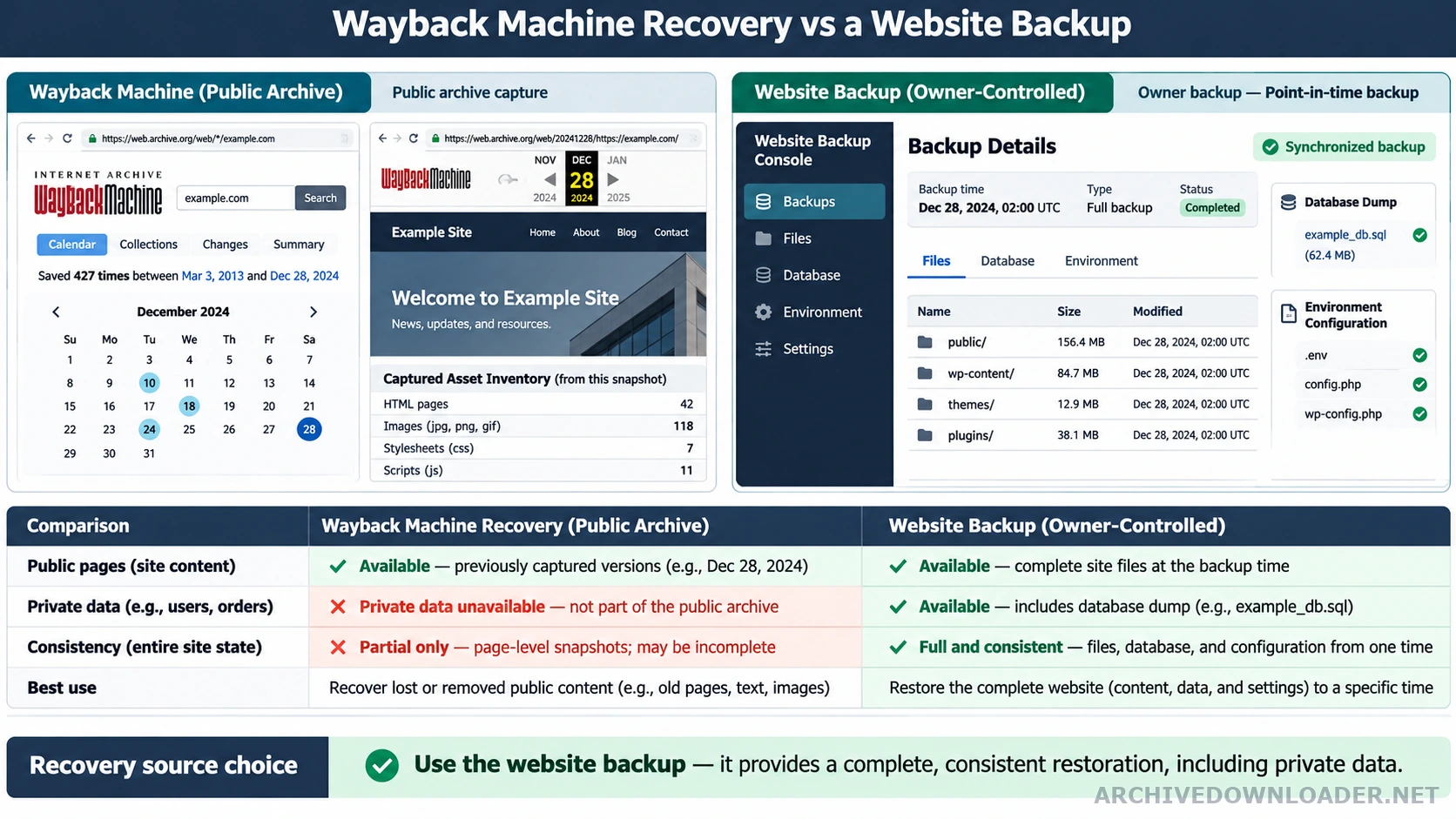
The practical differences
| Question | Wayback Machine recovery | Website backup |
|---|---|---|
| Primary source | Public responses captured by an archive crawler | Owner-controlled server, database, and file copies |
| Private data | Not available | May include databases, accounts, configuration, and unpublished files |
| Point-in-time consistency | Varies by URL and asset | Usually one backup job or documented snapshot |
| Best use | Recover public content, design evidence, and historical routes | Restore the application and its operational data |
Different kinds of evidence
A hosting backup can contain application code, environment configuration, databases, uploaded media, and private files at a known point in time. A public web capture records responses that an archive crawler was able and permitted to request from the public site. Use the Wayback Machine downloader guide for public pages and assets when the original host is gone or incomplete.
This distinction explains why a captured product page may look complete while its checkout, inventory, search, and customer accounts are absent. The archive saw rendered responses, not the systems that produced them. Use the modern website rebuild workflow when recovered evidence must be combined with owner-supplied data and newly specified application behavior.
What archive recovery does well
Public pages, editorial copy, navigation, images, stylesheets, and downloadable documents are often recoverable. The archive can also reveal historical URL structure, titles, canonical tags, and visual templates that help reconstruct a lost information architecture. If an authorized website is still public but its source repository or hosting access is unavailable, use the live-site cloning service to reconstruct its public framework in the detected technology stack.
Coverage varies by date and resource. A responsible recovery labels every file with its capture source and does not present a mixture of dates as a conventional backup snapshot.
Build a better backup after launch
Once the site is rebuilt, schedule database and file backups, test restoration, keep at least one off-site copy, and document DNS, payment, email, and secret-management dependencies. Archive recovery is a valuable last resort, not a replacement for recoverable operational backups.
Use the strongest available source for each part of the site
Start with owner-controlled backups, source repositories, database exports, media libraries, design files, and deployment records. Use archive captures to fill public-content gaps, recover historical routes, or verify how a page appeared. Use a live authorized site as evidence only when the current public version is the intended source. Record the source chosen for each component rather than treating one imperfect input as the whole restoration.
A database backup may restore content and accounts but not the exact deployed theme. A source repository may omit uploaded media and production configuration. An archive may preserve the visible page but not the data or code behind it. Combining authorized sources can produce a stronger restoration when the evidence trail keeps them distinct.
Create a gap map before choosing the recovery path
List public pages, media, application code, database data, configuration, secrets, integrations, email, DNS, and scheduled jobs. Mark each item as available, partially available, unavailable, or requiring current replacement. Add the source location and the person responsible for approval. This turns a vague restore request into a bounded plan.
Use archive recovery for public output and historical information architecture. Use backup restoration for executable systems and private data. Use new development for behavior whose source or current requirements are unavailable. The gap map should also state what will not be restored, such as old tracking identifiers, expired campaigns, unsupported plugins, or personal data without a present purpose.
Replace the emergency recovery with a tested backup system
After launch, back up databases, uploaded files, configuration, and source code on schedules that match how often each changes. Keep versioned off-site copies, encrypt sensitive data, restrict access, and document retention. A backup is not proven until a clean environment can restore it.
Schedule restoration tests and record the time, operator, source backup, result, and unresolved dependencies. Include DNS, certificates, external storage, payment settings, email delivery, and environment variables in the recovery runbook without storing secret values in public documentation. The goal is to make the next incident a controlled restore rather than another reconstruction from public evidence.
Archive or backup decision table
Decide whether the goal is to reconstruct public output or restore the original application, data, configuration, and operational state.
Sources to compare
- Available hosting backups, database dumps, repositories, media archives, environment records, and DNS history.
- Archive coverage for public routes and assets when original systems are unavailable.
- Required dynamic behavior, private data, accounts, transactions, and administrative tools.
Recovery choice
A source-of-truth matrix showing which components come from backups, archive evidence, owner-supplied files, or new implementation.
Missing evidence
Stop calling the archive a backup when private data, server code, configuration, or application state is essential to the requested restoration.
See what an archive can recover
Test one public homepage capture before deciding whether you also need hosting files or database backups.
Run a free recovery sample